Roles
Access to one account can be granted to multiple users simultaneously. The user's capabilities depend on the role assigned to them:
- Owner
- Marketer
Owner
Account users in this role have access to:
- list of all account users
- editing, blocking and deleting account users
- creating and inviting new users to an account
To view a list of all users, go to Settings – Users.
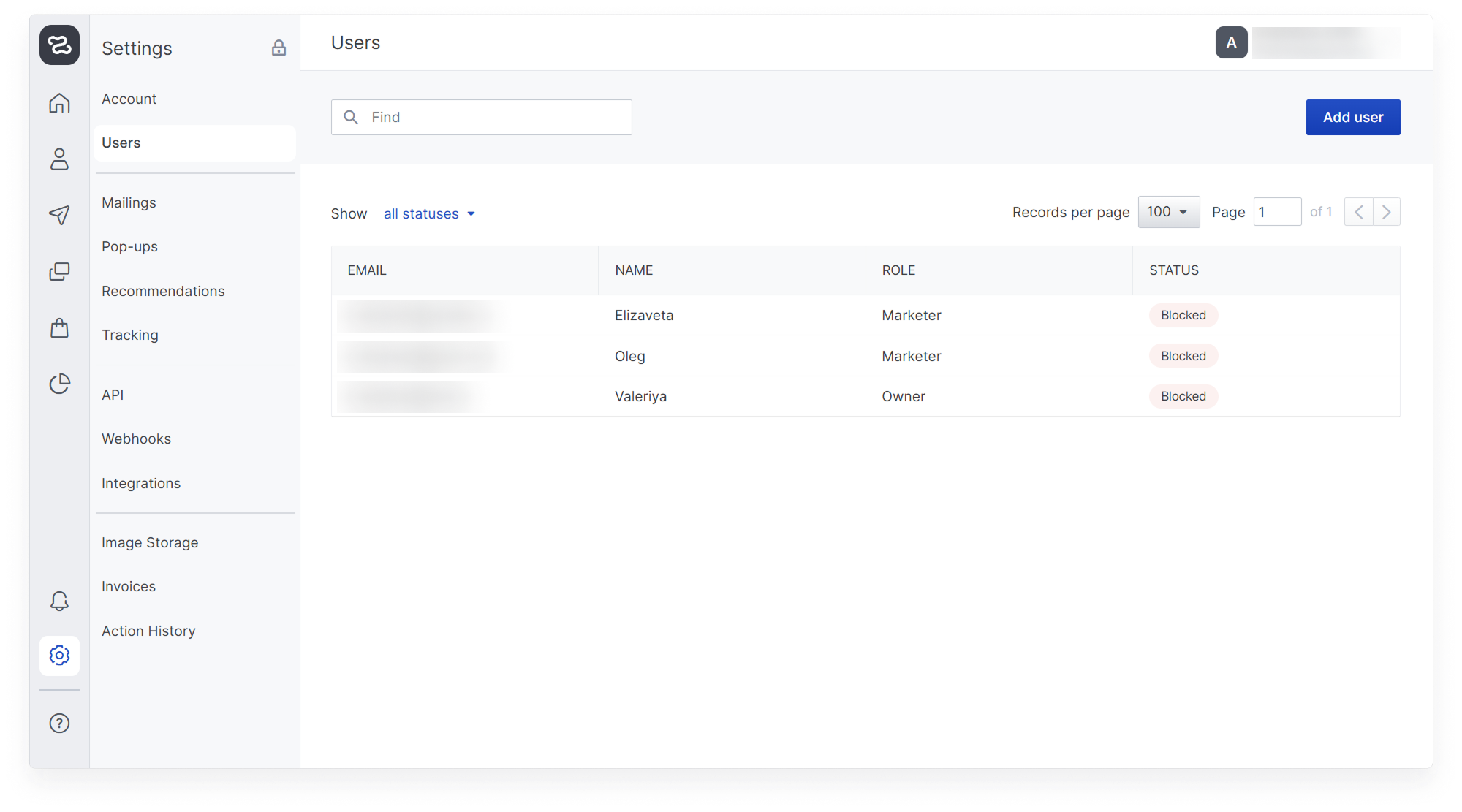
By hovering over a user's line, you can edit, block, or delete them.
Editing a user Changes are available in the editing window:
- user name
- user's last name
- re-invite button to the platform.
It is impossible to edit the email because it is a unique user identifier. If your employee has multiple email addresses, you can create multiple user accounts to access the platform.
- change role (available roles: marketer, owner)
- change the user interface language
Passwords are known only to users. If you lose your password, click the “Recover Password” button when logging in. You will receive an email with the reset information.
Blocking or deleting a user A blocked or deleted user will lose access to their account and will be denied access at the authorization step.
A blocked user can be unblocked, and then he will be able to log into his account again with his existing password and login.
User statuses
- Awaiting confirmation - the user has been sent access rights, but has not yet created a password
- Active - the user has followed the confirmation link, created a password, and has access to the account
- Blocked - the user is prohibited from logging into the account
Marketer
Does not see the Users section in Settings and does not have the rights to view, edit, or create other account users.